
How Computer Repair Academy blows the dust out of a Dell desktop with BLOWZER
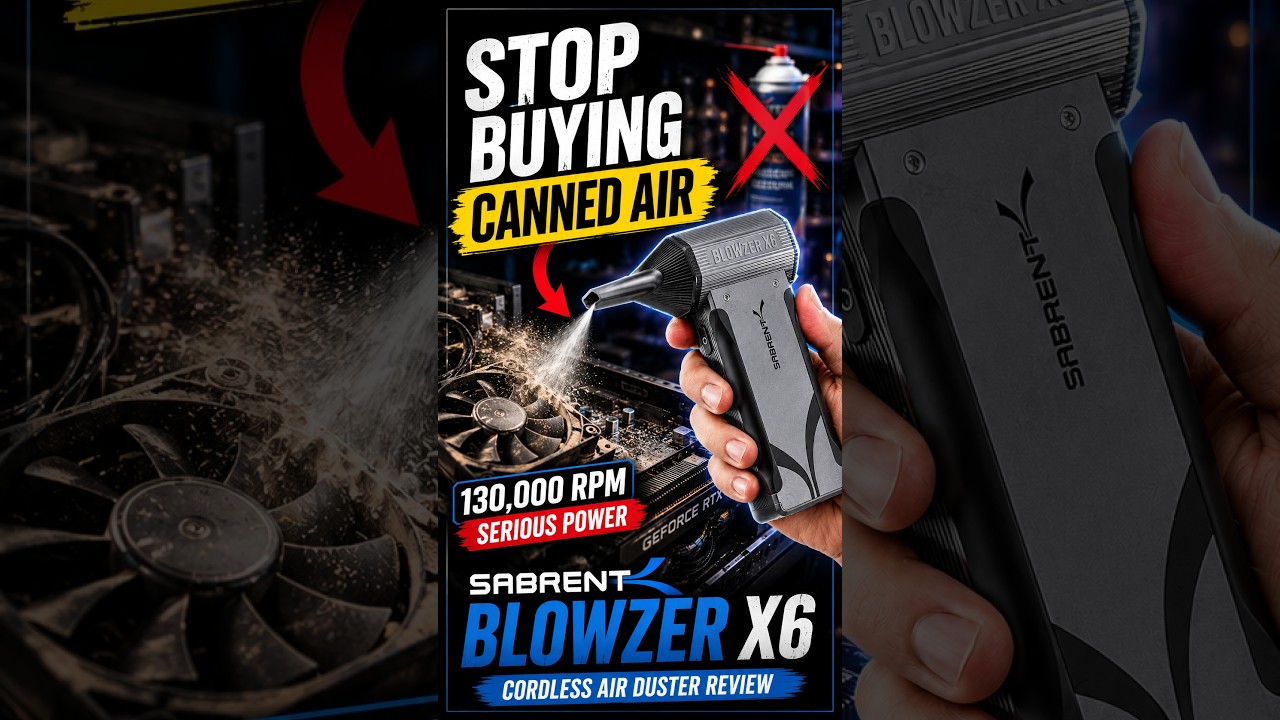
Computer Repair Academy takes the BLOWZER X6 outside the shop and clears the dust from an open Dell desktop: CPU cooler, RAM, graphics card, case floor, then the rear grille and an XPS tower. Their verdict for anyone running a repair bench: worth checking out.
Computer Repair Academy received a BLOWZER X6 from us.
A repair shop that teaches the trade
Computer Repair Academy is a working repair shop with a camera on the bench. Jeremy and the team film real jobs, explain how they diagnose them, review the tools that earn a place in the shop, and run a podcast about the business of fixing computers. Their audience is technicians, students and anyone who would rather fix their own PC than replace it.
So when Sabrent sent the shop a couple of BLOWZER X6 units, the test was simple: put them to work around the shop and outside, film it, and say whether the thing belongs on a repair bench.
The job: a dusty Dell, out in the open air
The Short opens on the retail box, then cuts straight to the work. A Dell desktop sits on a cart outside the shop with its side panel off, the kind of machine every repair shop sees weekly: a stock CPU cooler, two sticks of RAM, a GeForce card and years of dust in every corner.
Doing it outdoors is the first good habit in the video. Dust blown out of a case has to land somewhere, and outside it doesn't land back on the bench.
How they used the X6
The camera rides along at the technician's eye level. He starts at the CPU cooler, holding the X6 a few inches off the fins, and works down across the RAM slots and the graphics card. The blue mode LEDs on the grip are lit the whole time. Then he goes after the cables and the case floor, where loose dust collects, and the power supply area at the bottom.
With the inside done, the tower gets turned around. The X6 sweeps across the rear I/O grille, then the front of a Dell XPS tower parked next to it, and goes back inside the open case for one last pass. The voice-over keeps pace: three speed settings, USB-C charging, and a set of nozzles to match whatever is being cleaned. He lists the other jobs it suits in a shop, PCs, keyboards, workbenches and network racks, "and all those annoying little tiny spaces."
His summary of the power is short: "This little thing has some serious power."
What happened, and the shop's verdict
For a repair shop, the argument is mostly about consumables. "One of the biggest advantages is not having to keep buying the cans of compressed air," he says. "We just grab this, turn it on, get to work." The Short ends on the open carry case on the shop floor, the X6 and its nozzles laid out, and a recommendation aimed squarely at people like them: if you are constantly cleaning electronics or run a repair shop, "the BLOWZER X6 is definitely worth checking out."
Why it matters on your bench
A shop that cleans several PCs a week goes through a lot of canned air, and cans go cold and lose pressure halfway through a job. A rechargeable blower that lives on the bench changes the habit: every machine that comes in gets blown out, because it costs nothing to do it.
Copy the shop's routine. Work outside or near an open door, clean the cooler, memory and graphics card with the panel off, then finish on the intake and exhaust grilles, where the dust you can see from outside actually lives, hold fans still while you blow across them, and pick the mode to match the job: 40K for keyboards and delicate boards, 130K for a case full of dust.
Related
Questions readers ask
How do you blow the dust out of a desktop PC without canned air?
Power the PC down and unplug it, take the side panel off and work outdoors if you can. Blow from the top down: cooler, RAM, graphics card, then the case floor and the vents, holding fans still so they don't overspin.
Which mode should I use inside a PC?
The X6 has three modes, 40K, 80K and 130K RPM. Start at 40K near fans and small parts, and step up for packed dust on grilles and the case floor.
Does the BLOWZER X6 replace cans of compressed air?
That is the shop's main reason for using it. The X6 recharges over USB-C into a 4000 mAh battery, with auto-shutoff, and puts out up to 45 m/s of airflow, so there are no cans to keep buying.
About the creator
Computer Repair Academy @computerrepairacademy
Computer Repair Academy is a working computer repair shop and teaching channel hosted by Jeremy: repair walkthroughs, bench tips, tool reviews and a podcast on the business of fixing computers.
Computer Repair Academy received a BLOWZER X6 from us.