
How Chris Edwards Restoration blows dog hair and 30-year-old dust off his repair bench with BLOWZER
On his retro computer repair bench, Chris Edwards of Chris Edwards Restoration unboxed a BLOWZER X6, then cleared his desk mat, blew dog hair out of a keyboard and put the precision tip into the vents of a 30-year-old power supply.
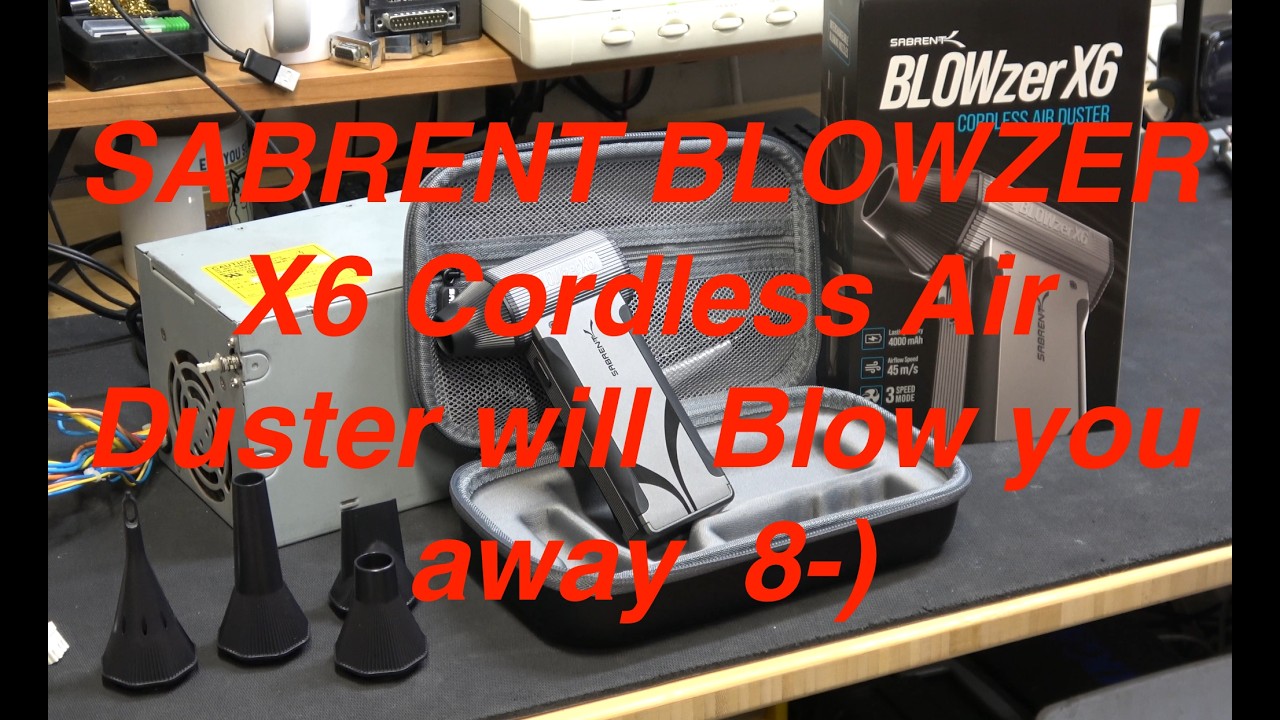
A repair bench built around old machines
Chris Edwards runs Chris Edwards Restoration, a YouTube channel about saving old computers, most of them Commodore Amigas. His running series, Something Else Amiga, mixes board repairs and recaps with whatever new tool or gadget has landed on the bench that week. The set tells you who he is before he speaks: a boing-ball wallpaper on the monitor, Amiga signs on the wall, a desk mat covered in the small parts and leftovers of a repair.
On that bench a blower is a daily tool, not an occasional one. He lists the jobs in the first minute: keyboards, crust on Amiga motherboards, car seats and, mostly, his desk. "I use the blower all the time," he says, and he holds up the old one he has relied on for years. This episode, titled "Sick of canned air?", puts the BLOWZER X6 next to it.
Out of the box, onto the bench
He reads the back of the box to camera, then opens it on the mat beside an old beige power supply. The hard case comes out first. "They weren't kidding, a nice carrying case," he says, and he lays out the brush kit, the keyboard rake, the manual and the braided cable. A close-up shows the blue battery LEDs on the base, three of them lit. He twists the nozzles on and off one by one: the long one for tight spaces, the wide one, the cone and a precision tip that blows sideways.
The controls take him a moment. He clicks through the three speed levels and at first calls the logic backwards, then works out that the lower levels stay on with a click while the top level is press and hold. A test blast into the air gets a plain "Wow, that is really good."
Dog hair, desk crumbs and 30-year-old dust
The first job is the one he does every day. He says he will use the wide tip on his repair desk, and on camera he sweeps the mat clear of bits on level two, then level three, before wiping it down.
Next comes a keyboard he admits he never cleans. With the X6 in one hand and a brush from the kit working between the keys, he blows it out in close-up. "Wow, that is amazing. This thing was full of dog hair," he says, and the keys look new again. "If you're a pet owner, it don't matter what you do, their hair gets everywhere."
The last test is the power supply that has sat on the bench all episode. He fits the precision tip, puts it to the vents on level three, and laughs: "Well, that just supercharged that fan like you wouldn't believe." Then a reality check: "Now this dirt is 30 years old."
Why it matters on a repair bench
His verdict is practical. He notes that the X6 does not get hot in his hand and has a rubberized grip, that the case keeps every part in its molded place, and that it turns itself off if he forgets. He mentions outdoor jobs too, pine needles in a windshield and leaves on a path, but the bench is where it lives: "For me, it's going to be mainly cleaning of boards, cleaning of electronic components, floppy disks, blowing out all the crud."
That is the lesson for anyone who repairs electronics. Old machines arrive full of dust, and dust is the enemy of a clean diagnosis. Blow the board, the keyboard and the supply out first, low on delicate parts and higher for the packed corners, then get to work.
Disclosure: the video's description links to the X6 with an affiliate link that earns the channel a commission.
Related
Questions readers ask
Can an electric air duster replace canned air for keyboards?
For loose dust, crumbs and pet hair, yes. Chris Edwards blew dog hair out of a keyboard on camera with the X6 and a brush from the kit, with no cans to buy or throw away.
Which mode should I use on a PC power supply?
Start low and step up. The X6 has three modes, 40K, 80K and 130K RPM; Chris used the top level on an old power supply's vents. Hold the fan still if you do not want it to spin.
How do you charge the BLOWZER X6?
Over USB-C. It runs on a 4000 mAh battery, shows the charge on blue LEDs and shuts itself off if you forget it.
About the creator
Chris Edwards Restoration @ChrisEdwardsRestoration
Chris Edwards repairs and restores retro computers, mostly Commodore Amigas, and shares the bench work in his Something Else Amiga series on YouTube.